Guide · Buying & picks
Cigar Apps for iPhone: What Works in 2026, and Why the App Store Is So Thin
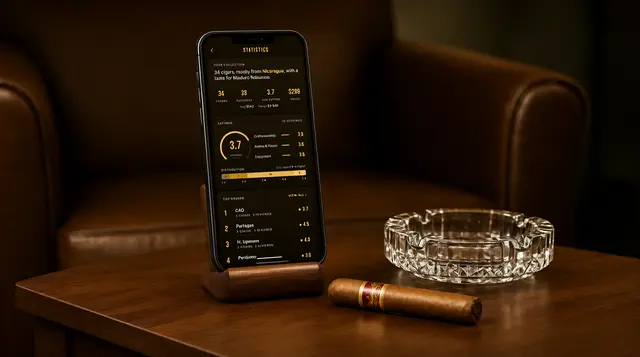
There are cigar apps for iPhone, but fewer than you would expect, and they come in two kinds: a small number of native apps that are in the App Store, and web apps you install from Safari because Apple would not list them. Both kinds can scan a band, track a humidor, and keep a journal. Which is best for you depends on whether you want your collection synced to an account, whether you want AI scanning, and what you are willing to pay.
If you have searched the App Store for a cigar scanner and come up short, you did not miss anything. Apple restricts tobacco-related apps, and the result is a category where some of the most capable options are not in the store at all.
I make one of those web apps, Cigarista, and Apple rejected our native iPhone version. So I know this problem from the inside, and I also have an obvious bias. I will describe the landscape as accurately as I can, tell you exactly what ours does and does not do on iPhone, and stay cautious about competitors I cannot test for you.
How I picked these
This is editorial, not a lab test. What I say about Cigarista is checked against what we ship. What I say about other apps is how they describe themselves on their own listings and sites as of late 2026, and App Store availability changes without notice, so confirm an app is still listed before you count on it. I have not ranked anything, because the right app depends on which job you need done.
Why there are so few cigar apps in the App Store
Apple's App Review Guidelines include a rule, section 1.4.3, that says apps encouraging the consumption of tobacco and vape products are not permitted. Apple decides case by case what counts as encouraging, and from the outside the enforcement looks uneven. Some cigar journals and humidor trackers are listed. Others are rejected, and some that were listed have been removed over the years.
We ran into it directly. We built a full native iPhone version of Cigarista, submitted it, and were rejected. We appealed and Apple upheld the decision. That is why Cigarista on iPhone is a web app.
Google Play is more permissive, which is why the same search on Android returns a much longer list.
The practical effect for you: an App Store search shows only the apps that happened to get through, and you cannot assume the best option is among them. It is worth looking outside the store before you settle.
The two kinds of iPhone cigar app
Native App Store apps. You install them the usual way. They tend to feel the most at home on an iPhone, and several of the ones that are listed keep your data on the device with no account. The catch is the short list, and the fact that an app can be pulled, after which it stops receiving updates even if it stays on your phone.
Web apps installed from Safari. These are websites built to behave like apps. You open the site in Safari, tap Share, then Add to Home Screen, and you get an icon that opens full screen with no browser bar. Apple does not review them, so tobacco rules do not apply, and updates arrive the moment the developer ships them. Camera access works, so band scanning works. Several cigar apps take this route on iPhone, Cigarista among them.
The differences you will notice with a web app: you install it from Safari instead of the store, it is not covered by App Store ratings or Apple's subscription management, and it leans on an account to keep your data, since that is what makes it the same collection on your phone and your laptop.
| Native App Store app | Web app from Safari | |
|---|---|---|
| How you install it | App Store | Safari, then Share, then Add to Home Screen |
| Selection | Small, and it changes | Not limited by Apple's tobacco rule |
| Updates | Through App Store review | Immediate |
| Camera and band scanning | Yes, where the app offers it | Yes, where the app offers it |
| Where your data lives | Often on the device | Usually in an account that syncs |
| Works on Android and desktop too | Sometimes | Usually, with the same account |
| Billing | Apple subscriptions | The developer's own checkout |
Why can't I find a cigar scanner app in the App Store?
Apple's App Review Guidelines restrict apps that encourage tobacco use, and many cigar apps are rejected or removed under that rule. A few are listed, but several of the scanner apps available on Android are either missing on iPhone or offered as web apps you install from Safari instead.
How do I install a cigar web app on my iPhone?
Open the app's website in Safari, tap the Share button, and choose Add to Home Screen. An icon appears on your home screen and the app opens full screen without the browser bar. It has to be Safari for the install step, since other iPhone browsers do not always offer the option.
What to check before you pick one
Decide which job matters most, because cigar apps are really three products that share a name.
Identifying a cigar. If you want to point the camera at a band and get a name, check that the app does this on iPhone specifically and how many scans the free tier includes. Then test it on your own cigars in whatever light you usually smoke in. A demo on a store page proves nothing.
Tracking a humidor. Check whether there is a limit on cigars in the free tier, whether it tracks quantity and dates, and whether adding a cigar means typing every field or picking from a database.
Keeping a journal. Check what a rating consists of, whether you can log the same cigar more than once, and whether you can get back to an old entry quickly.
Then two questions that apply to all three. Does your data sync to an account, or live only on the phone? Sync protects you from a lost phone and lets you use a laptop. Local-only means no login and nothing leaves the device. And what does it cost after the free tier, as a subscription or a one-time price? Prices move, so read the current listing.
What Cigarista does on iPhone
Since this is the one I can be exact about, here is the full picture.
It installs from Safari in about fifteen seconds and opens full screen from your home screen. From there it is the same app as on Android and the web, with the same account.
The scanner identifies a cigar from a photo of the band in about ten seconds, matching against a catalog of more than 17,000 cigars, and tells you how confident it is. You get two free scans. After that, scanning is part of the paid plan, at $7.99 a month or $79.99 a year, or you can buy scan packs.
The humidor and wishlist are free with no limit. You get quantities, resting time, running-low flags, separate humidors, and collection stats.
The journal is free too. Each smoke gets three ratings, tappable traits, notes, a photo, and a smoke-again verdict.
Now the limits. It is not in the App Store and will not be unless Apple changes its position. It needs an account. Browsing your humidor works offline, but a new scan needs a connection because the identification runs in the cloud. And on phones that are short on memory, the scan screen hands off to the iPhone's own camera instead of showing a live viewfinder, which is a little less slick and works the same.
Other apps you will come across
I have not tested these on your behalf, so treat this as a map and check each one yourself.
Cigar Scanner is the long-standing name in the category, with a large database and by far the biggest install base on Android. Whether and how it is available on iPhone has changed over time, so look for it directly.
A handful of smaller native apps appear in App Store searches for cigar journal and humidor, including My Humidor, Puro, and Unwrappd. They generally present themselves as trackers or journals, and several lean toward keeping data on your device.
Boxpressd and Cigarro take the same route we do on iPhone and run as installable web apps. Boxpressd describes itself as a social platform with a virtual humidor and smoke sessions.
One warning while you research: several app makers publish their own best cigar apps lists and put themselves first. This page is written by an app maker too. I have tried to earn your trust by not ranking anyone and by listing our own limits, but the only test that counts is ten minutes with each candidate and a cigar from your own humidor.
Common questions
What is the best cigar app for iPhone?
It depends on the job. For identifying cigars from a photo plus a synced humidor and journal, Cigarista does all three and installs from Safari. For a simple tracker that keeps data on your phone with no account, look at the native apps in the App Store. Test any scanner on your own cigars during the free tier before paying.
Is there a cigar scanner app for iPhone?
Yes. Cigarista scans cigar bands on iPhone and identifies the cigar in about ten seconds. Because Apple restricts tobacco-related apps in the App Store, it is installed from Safari using Add to Home Screen. New members get two free scans.
Is there a free cigar app for iPhone?
Yes. Cigarista's humidor, wishlist, catalog search, and journal are free on iPhone with no limit on cigars, and you get two free AI scans. Some native App Store trackers also have free tiers. In every case, check what the free tier leaves out, since that is where free and paid differ.
Are cigar apps banned from the App Store?
Not outright. Apple's guidelines prohibit apps that encourage tobacco consumption, and Apple applies that case by case. Some cigar journals and trackers are listed, while others, including Cigarista's native version, were rejected. Availability can change, so an app you read about may no longer be there.
Is a web app as good as a native iPhone app?
For this kind of app, close. A web app installed from Safari opens full screen from your home screen, uses the camera, and keeps working when you revisit it. What you give up is App Store installation, ratings, and Apple-managed subscriptions. What you gain is instant updates and the same app on every device.
Does the cigar app work on iPad?
Cigarista does. It runs in Safari on iPad and can be added to the home screen the same way as on iPhone, using the same account and the same humidor.
Explore the catalog
Start browsing the catalog
Every line, its specs and sizes, and what members have logged.
Keep reading
More guides like this
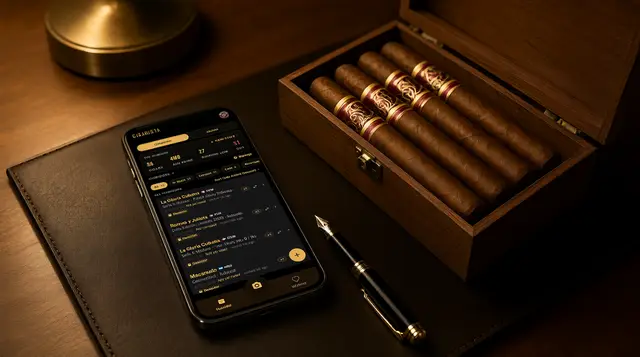


Put Cigarista on your iPhone in 15 seconds.
No App Store needed. Open the install page in Safari and add it to your home screen. The humidor and journal are free, and your first two scans are on us.